
Zaviira Assure
How Assure works.
Built for housing associations, to prove the work was done properly.
Request a demoJump to section
Built for housing associationsWhat makes it differentThe journeyWhat you can showGetting startedBuilt specifically for housing associations
Assure is for housing associations, HMO operators and private portfolio landlords managing older housing stock. It is not for new builds.
What a housing association has to do, and how Assure supports it
Prove the cause was fixed, not just that the job was marked complete
A structured root cause diagnosis for damp and mould, and a re-survey by the surveyor, not the contractor.
Meet statutory timescales
Deadlines for significant damp and mould hazards are calculated to the working day, using a live GOV.UK bank holiday reference.
Show the board and the regulator what happened
Location evidence packs and an append-only audit log, with database triggers that block edits and deletions of individual entries.
Manage a large contractor supply chain safely
Certificates are uploaded and their dates read with AI assistance, with a reminder before expiry. Management has a performance scorecard for each contractor.
Answer the Ombudsman with a complete record
A time-stamped case history, with a location evidence pack, a hazard PDF and CSV exports.
Handle reports from tenants who will not use an app
Reporting without a login or an app: a link or a QR code that opens a short form in the browser.
Built around how housing associations work
- Properties and locations, including communal areas
- UPRN support and bulk import by CSV
- A QR code for every location
- Roles for management, surveyors, contractors and in-house maintenance
- A dashboard, a hazards list with filters, and a deadlines calendar
- Location evidence packs, a hazard PDF and CSV exports
What makes Assure different
What Assure does, point by point.
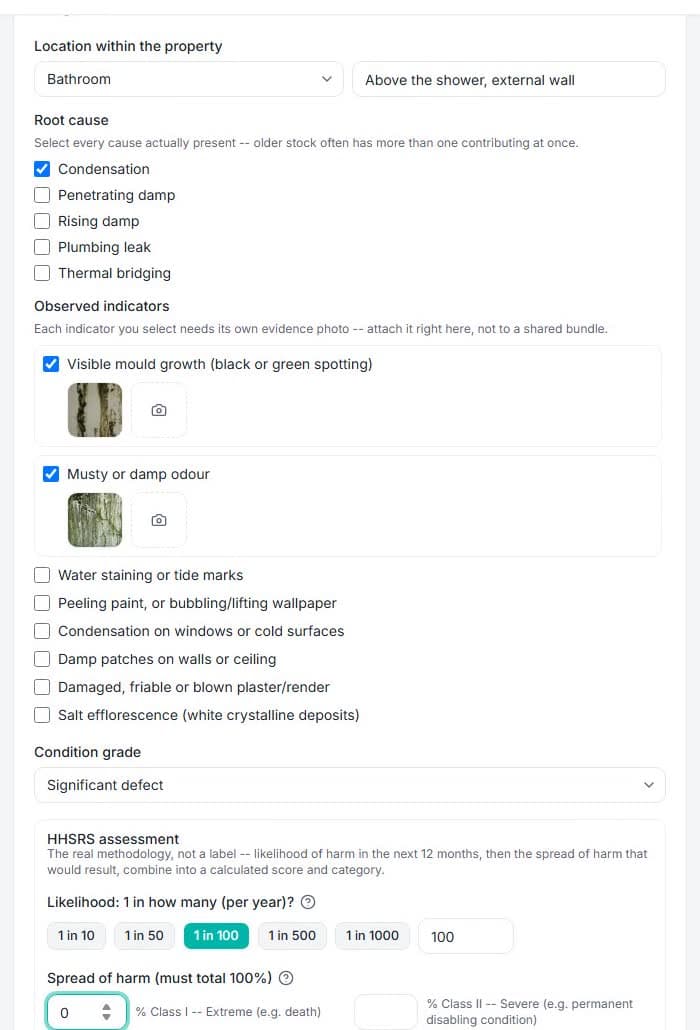
Root cause, not a flag
For damp and mould the surveyor records why the hazard exists, with each indicator photographed, and the required repair follows from the diagnosis.
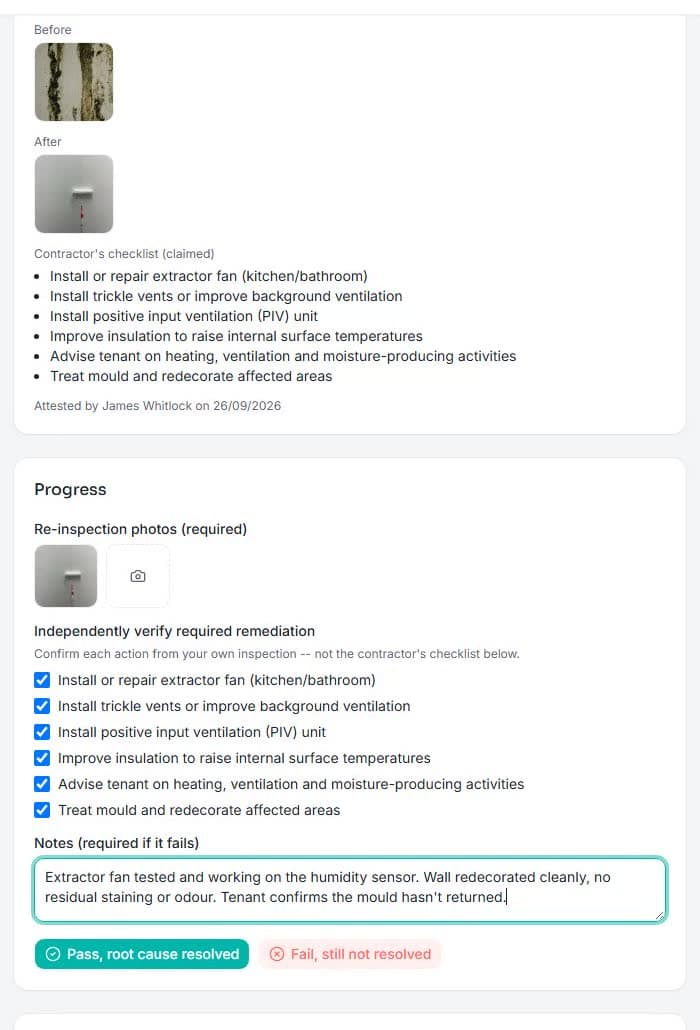
A check that the fix worked
A completed job is not a closed case. The surveyor re-surveys each required item with new photos, and the contractor never signs off their own work.
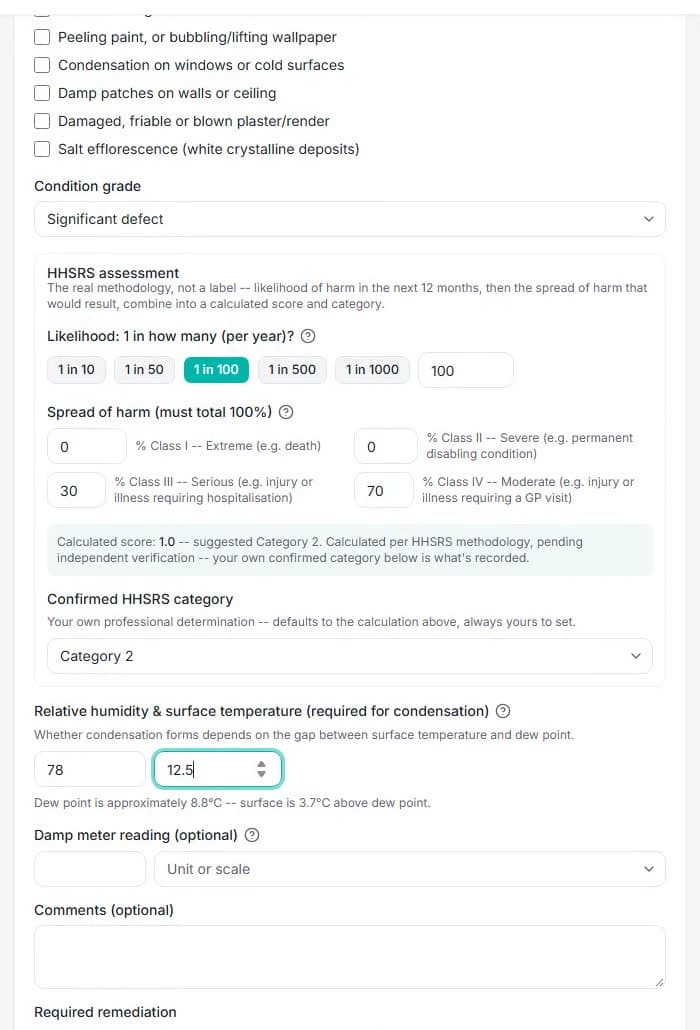
Human judgement, system intelligence
The HHSRS assessment is advisory. A category is suggested, but a qualified person confirms it. A calculation informs a professional and never replaces one.
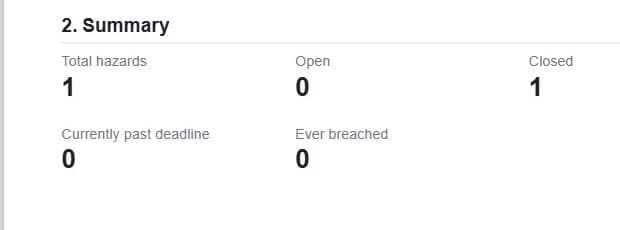
Evidence that holds up
An append-only audit log, with database triggers that block edits and deletions of individual entries, and location evidence packs with a verification hash, tamper evident, with every action recorded.
A record of every contractor
Certificates are uploaded and their dates read with AI assistance, with a reminder before expiry. Management has a performance scorecard with no star ratings or reviews, and an unanswered offer passes to the next contractor.
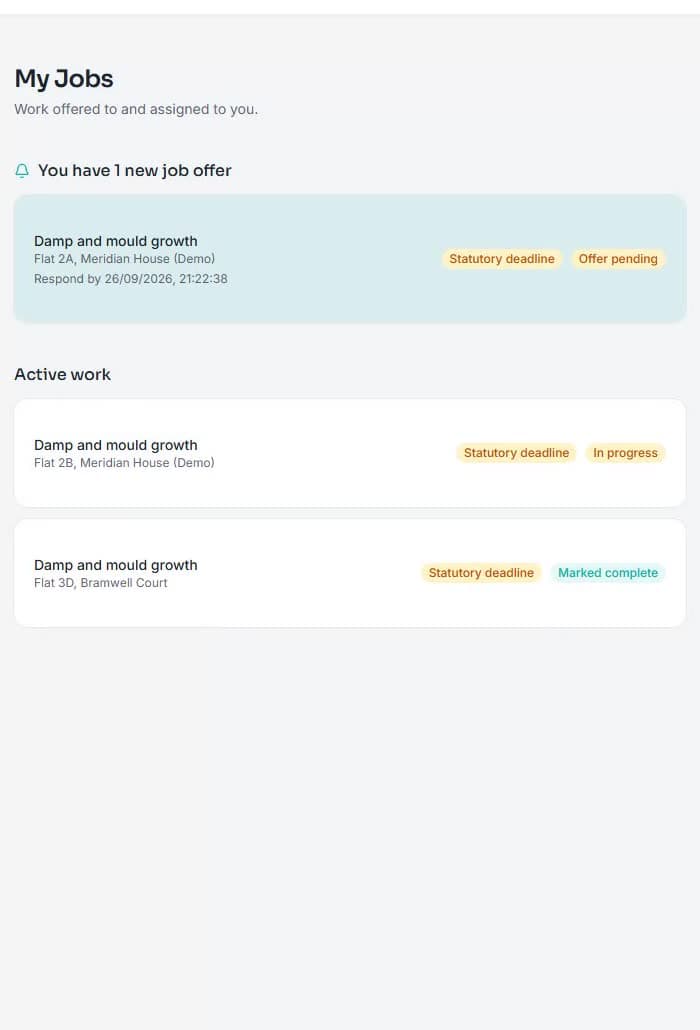
The journey at a glance
Four stages, and who acts at each one.
1
Report
The tenant reports. Management reviews and dispatches.
Tenant, management
2
Diagnose
The surveyor diagnoses on site and rates severity.
Surveyor
3
Fix
A contractor completes the work with evidence.
Management, contractor
4
Verify
The surveyor re-surveys, and the case closes or reopens.
Surveyor
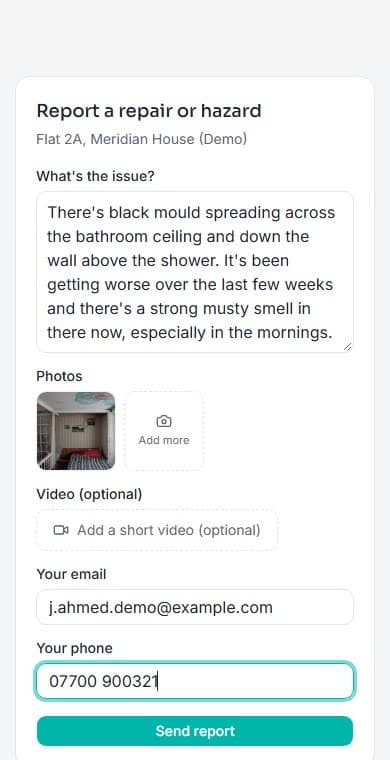
- Reports through a link or QR code shared by the housing provider, with no account and no app.
- Describes the issue, adds photos, an optional video and contact details.
- Can be asked for more detail through a follow-up link.
The states a case moves through
- Reported
- Under investigation
- Assessed
- Awaiting assignment
- In remediation
- Re-survey pending
- Closed
What you can show when someone asks
Assure gives you the record. It does not satisfy a regulator or guarantee an outcome.
When the Ombudsman asks
A time-stamped case history, the location evidence pack and the audit trail.
When the regulator asks
The same record, with each diagnosis, re-survey and evidence photo in one document.
When a tenant or their solicitor asks
The tenant's own report, the work done and the re-survey result, each with its time.
When your board asks
The dashboard's figures on open hazards, deadline compliance and contractor response.
Getting started
Assure is set up with you directly.
- Import your properties.
- Set up your users.
- Onboard surveyors and contractors.
- Run a test case.
- Go live.
A first rollout can start with a defined set of homes and extend as your team is ready.